
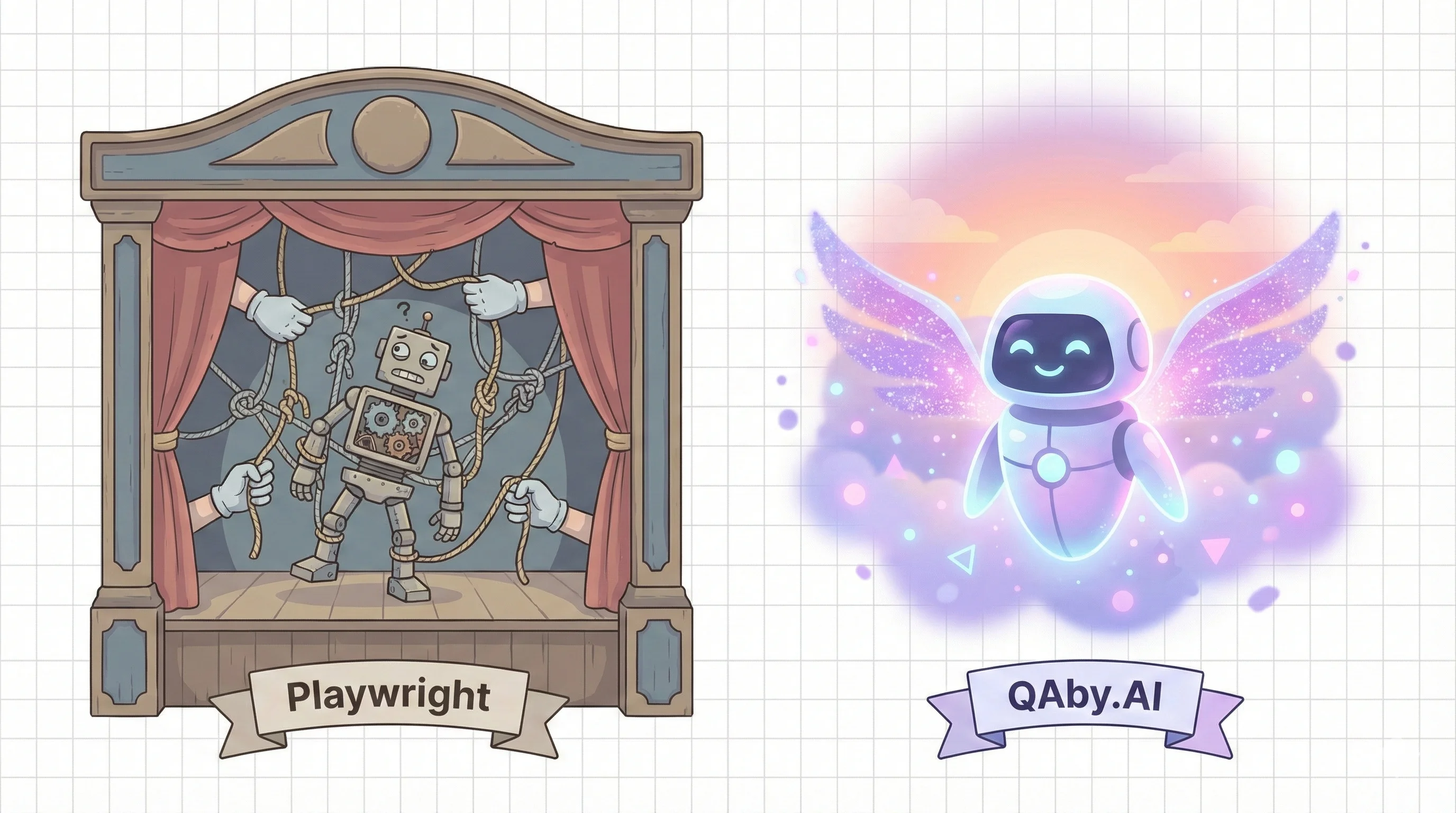
Playwright vs QAby.AI: When Code Tests Stop Scaling
Playwright won the framework war. AI agents won the maintenance war. Why mid-market SaaS teams move from Playwright code to AI-led regression.
| Playwright | QAby.AI | |
|---|---|---|
| Type | Code-based test framework (open source) | AI agent–led regression |
| Pricing | Free (but SDET hire costs $120–160K base/yr) | From $1,000/mo (credit-based) |
| Best for | Engineers who want to own and write test code | 50–200 eng teams, no SDET hired |
| Test authoring | Engineers write JavaScript/TypeScript tests with selectors | Agents discover + author tests from plain English |
| Maintenance | Manual selector fixes; 25–30% of QA time on upkeep | Agents self-heal on UI changes |
| CI/CD integration | You configure runners, browser management, parallelism | Native GitHub Actions / GitLab / Jenkins |
| Setup | 1–3 weeks for proper implementation with page object models | No selectors, no code required |
We've talked to many engineering teams using Playwright, and we keep hearing the same stories.
"We tried Playwright but eventually gave up—the time investment never justified the results we were getting."
"We had to delay the release because half of our tests broke after a page redesign."
"Our QA engineer just spent a single day writing tests for a feature that took two days to build."
Sound familiar? You're not alone. The promise of automated testing has always been compelling—catch bugs before production, ship with confidence, sleep better at night. But somewhere between promise and reality, teams find themselves drowning in selector strategies, flaky tests, and maintenance burden that rivals the application's complexity.
After countless conversations with teams struggling with traditional test automation, we built QAby.AI to fundamentally change how testing works. Not just faster or easier—different. Here's why teams are making the switch.
What teams tell us about Playwright
Let's be clear upfront: Playwright is a powerful tool. It's well-designed, has great documentation, and when properly implemented, it works. But that's exactly where the problems start—"when properly implemented."
Here's what we consistently hear from teams:
"Every sprint starts with fixing tests from last sprint's UI changes." A startup CTO shared their sprint retrospective data: on average, 30% of their QA engineer's time goes to maintaining existing tests. That's nearly two days every sprint just keeping the lights on, not adding any new coverage.
"Only 2 people on our team can actually write and debug these tests." This came from a team of 12 engineers. Despite Playwright being "just JavaScript," the reality is that writing good, maintainable tests requires deep expertise in the framework, async patterns, and the application's DOM structure.
"We tried using Claude and Cursor to generate tests faster, but it made things worse." A lead engineer explained: "The AI can pump out Playwright code in seconds, but the tests rarely work on the first try. We end up spending more time debugging AI-generated selectors and fixing race conditions than if we'd written them from scratch."
Here's what a typical Playwright test looks like for something as simple as "user logs in and sees their dashboard":
test('user can login and view dashboard', async ({ page }) => {
  await page.goto('https://app.example.com');

  // Wait for the login form to be fully loaded
  await page.waitForSelector('[data-testid="login-form"]', {
    state: 'visible',
  });

  // Fill in email
  const emailInput = await page.locator('input[type="email"]');
  await emailInput.fill('user@example.com');

  // Fill in password
  const passwordInput = await page.locator('input[type="password"]');
  await passwordInput.fill('testPassword123');

  // Verify dashboard loaded
  await expect(page.locator('[data-testid="dashboard-header"]')).toBeVisible();
  await expect(page.locator('.user-name')).toContainText('Test User');

  // Verify specific dashboard elements
  const statsCards = await page.locator('[data-testid="stats-card"]').count();
  expect(statsCards).toBeGreaterThan(0);
});
And this is the happy path—no error handling, no retry logic, no dealing with dynamic content or loading states.
Where your engineering hours really go
The code complexity is just the tip of the iceberg. Let's talk about what Playwright really costs your team.
There's a name for the biggest line item: the Locator Tax — the recurring hours a suite spends fixing CSS selectors every time the UI shifts. It's the most-felt pain in the job. Across 26 QA conversations we ran with engineering and QA teams, 9 of them (35%) named locator maintenance as their top problem, unprompted — ahead of flakiness, coverage, or tooling. And we know this ecosystem from the inside: our open-source playwright-mcp server crossed 230,000 downloads in a year and now handles 1.4M+ agent tool calls across 5,900+ distinct domains. We build on Playwright every day — we just don't think hand-maintaining its selectors should be your job.
The setup tax
Before writing a single test, you need to:
- Set up the test infrastructure
- Configure test runners for different environments
- Implement page object models (because everyone learns the hard way that without them, maintenance is impossible)
- Set up CI/CD pipelines with the right browsers and dependencies
- Train your team on Playwright best practices
One team told us their "quick Playwright setup" turned into a three-week project. The engineer assigned to it became the de facto "Playwright expert," permanently on call for test issues.
The debugging nightmare
Here's a scenario every Playwright user knows: A test fails in CI. You pull the branch locally. The test passes. You run it again. It fails.
You've now spent 30 minutes and you're no closer to understanding the problem.
The worst part? When debugging a complex test flow, you can't just run one assertion in isolation. If you want to test line 18, you need to run lines 1-17 first, waiting for the full flow every single time. A senior engineer told us, "I once spent an entire afternoon debugging a test that turned out to be failing because of a race condition in a completely different test file."
The expertise bottleneck
Your product manager has a great edge case in mind. Your designer notices a visual regression. Your support team sees a pattern in user complaints. They all could write test cases—if test cases were written in plain English.
But they're not. They're written in JavaScript, with async/await patterns, complex selectors, and framework-specific APIs. So instead, they write Jira tickets, hoping the QA engineer has time to translate their ideas into code. Most of those tickets never become tests.
Testing the way you think
This is where QAby.AI takes a fundamentally different approach. Let's see the same login test:
QAby.AI Test:
1. Go to the app homepage
2. Enter "user@example.com" in the email field
3. Enter the password
4. Click the login button
5. Verify the dashboard loads with the user's name visible
6. Confirm that statistics cards are displayed
That's it. No selectors. No async/await. No waiting strategies. Just plain English describing what should happen.
But here's where it gets interesting. You don't even have to write that. You could simply tell QAby.AI:
"Test the login flow and make sure the dashboard loads correctly."
Our AI agent will:
- Analyze your application
- Identify the login form and its fields
- Create test steps for the happy path
- Add verifications for critical dashboard elements
- Generate edge cases (wrong password, empty fields, SQL injection attempts)
The same senior engineer who spent an afternoon debugging Playwright tests told us: "I showed QAby.AI to our product manager, and she wrote her first test in 60 seconds."
Generate 100+ tests in under an hour
Here's something that sounds impossible with traditional testing: comprehensive test coverage generated automatically.
We recently worked with a five-person engineering team. They connected QAby.AI to their staging environment and their GitHub repository. Within 45 minutes, our system had:
- Analyzed their codebase to understand the application structure
- Identified 31 user flows from their React components and API routes
- Generated 127 test cases covering happy paths and edge cases
The lead engineer's response: "It would have taken us months to write half of these tests manually."
But the real magic isn't just generation—it's evolution. When you update your code, QAby.AI understands the changes and updates the relevant tests automatically.
Deploy a new version where the "Login" button becomes "Sign In"? QAby.AI adapts. Add a required field to your form? QAby.AI knows to test both with and without that field. Redesign your entire dashboard? Your tests keep working, because they're based on intent, not implementation details.
AI that understands context
Let's talk about assertions—the checks that verify your application is working correctly.
Playwright assertion for a shopping cart:
const cartItems = await page.locator('[data-testid="cart-item"]').all();
expect(cartItems).toHaveLength(3);

for (let i = 0; i < cartItems.length; i++) {
  const price = await cartItems[i].locator('.price').textContent();
  expect(price).toMatch(/\$\d+\.\d{2}/);
}

const totalElement = await page.locator('[data-testid="cart-total"]');
const totalText = await totalElement.textContent();
const totalValue = parseFloat(totalText.replace('$', ''));
expect(totalValue).toBeGreaterThan(0);
QAby.AI assertion:
Verify the shopping cart shows 3 items with valid prices and a calculated total
QAby.AI understands what a shopping cart should look like. It knows prices should be formatted as currency, that the total should equal the sum of individual items, and that each item should have associated product information. You don't need to spell out every detail—the AI understands the domain context.
But when something goes wrong, that's where the AI really shines.
Playwright failure:
Expected: toHaveLength(3)
Received: 2
QAby.AI failure:
Test failed: Shopping cart validation
Expected 3 items in cart but found only 2.

Details:
- Found items: "Blue T-Shirt ($29.99)" and "Running Shoes ($89.99)"
- Missing third item (possibly removed or not added correctly)
- Cart total shows $119.98 which matches the sum of visible items
- The "Add to Cart" button on the previous page may not have registered the click

Suggested debug steps:
1. Check if the third item's "Add to Cart" action completed successfully
2. Verify network request to POST /api/cart succeeded for all three items
3. Check browser console for any JavaScript errors during cart addition
One QA engineer summed it up perfectly: "The failure messages are so clear that even non-technical people can understand what went wrong."
Playwright vs QAby.AI: The breakdown
Let's put everything side by side:
| Feature | Playwright | QAby.AI |
|---|---|---|
| Test Creation Time | 15-30 minutes per test (including debugging selectors) | 30 seconds to 2 minutes per test |
| Who Can Write Tests | Engineers with JavaScript and Playwright knowledge | Anyone who can describe what should happen |
| Maintenance When UI Changes | Manual updates required, tests break immediately | Automatically adapts to changes that don't affect functionality |
| Test Debugging Time | 30 minutes to hours, depending on complexity | 5-10 minutes with AI-generated debugging hints |
| Setup Time | 1-3 weeks for proper implementation | Under an hour to get first tests running |
| Edge Case Coverage | Manual identification and implementation | Automatically generated based on code analysis |
| Infrastructure Requirements | Complex CI/CD setup, browser management, parallel execution configuration | Runs on our infrastructure, no setup needed |
Your path forward
Look, we get it. You've invested time in Playwright. You have existing tests. Your team knows the framework. The idea of switching might seem daunting.
But here's the thing: you don't have to abandon everything overnight.
Many teams run QAby.AI alongside their existing Playwright tests. They use QAby.AI for:
- Rapid prototyping of test scenarios
- Generating tests for new features
- Finding edge cases they missed
- Allowing non-technical team members to contribute
Then, gradually, they find themselves relying more on QAby.AI and less on maintaining Playwright code. The transition happens naturally because the results speak for themselves.
Getting started is actually simpler than your initial Playwright setup was. Connect your staging environment, point us to your app, and watch as test scenarios generate automatically. No configs to write, no infrastructure to manage.
The fundamental question isn't whether Playwright is a good tool—it is. The question is whether you want to spend your team's time writing testing code or shipping features. Whether you want QA to be a specialized skill or a team responsibility. Whether you want to focus on how to test or what to test.
We built QAby.AI because we believe testing should be as simple as describing what your application should do. After seeing the results teams get after switching, we're more convinced than ever: AI-powered testing isn't just an improvement—it's a paradigm shift.
Ready to see the difference for yourself? Your first 100 tests are on us. Because we're confident that once your team experiences testing in plain English, you'll never want to go back to hunting for selectors.
The QAby.AI team consists of engineers who've written extensive Playwright tests. We built QAby.AI to solve our own problems first. Now we're helping teams everywhere escape the test maintenance trap.
Frequently asked questions
When does Playwright stop scaling for mid-market teams?
Playwright stops scaling when selector maintenance outgrows the value of the coverage — usually around a 50–200 engineer team shipping daily. Setup eats 8–12 weeks of your first SDET, and selector fixes can consume 25–30% of QA time. The framework is fine; the maintenance curve is what breaks at velocity.
Is QAby.AI an alternative to Playwright or a layer on top?
Both — you choose. QAby.AI runs alongside an existing Playwright suite, so engineers keep the code tests they value while AI agents take over the brittle regression paths. Migration is incremental, not big-bang. Most teams keep their best Playwright tests long-term and let QAby.AI's agents own the rest.
What's the cost difference between maintaining Playwright and running AI-led regression?
Maintaining Playwright at a mid-market team costs roughly one mid-level SDET — $120–160k base, $200K+ loaded — plus 25–30% of QA bandwidth on selector fixes. AI-led regression replaces that with a subscription near one SDET-month. You skip the SDET hire and the recruiting cycle, and the agents heal tests instead of a person.
How does QAby.AI handle the cases Playwright handles best?
For the deterministic, code-level cases Playwright nails — complex API setup, custom fixtures, low-level assertions — you keep your Playwright tests. QAby.AI doesn't force a rewrite; the agents take the high-churn UI flows where selector maintenance hurts most. Release confidence comes from the combination: code where code wins, agents where maintenance compounds.
Related reading - [Your first QA hire will spend 2 months writing
scripts](/blog/playwright-vs-qaby-ai-cost) - Why most Playwright automation fails at scale - QAby.AI vs Playwright — full comparison - Magic TestCases — generate tests from plain English - QAby.AI pricing